Exchange
Getting to the exchange
On the navigation bar at the top of the page, click the Exchange button. This will bring you to the exchange page.
Can't find the Exchange button? See how to get verified.
Selecting the exchange
At the top of the exchange page, you will find the marketplace drop down menu, as shown below. Here you can select which marketplace (trading pair) you want to interact with.

Interacting with the exchange
The exchange page has three basic components, which are explained below.
Trade
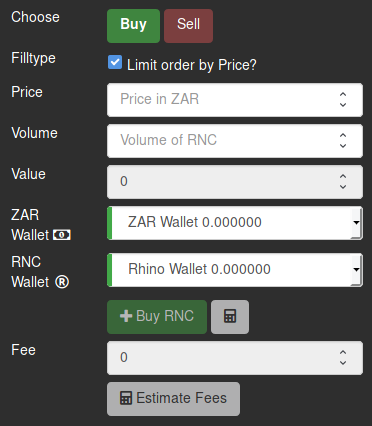
This is the form used for creating trade orders. To learn how to create your first trade order, see the trading guide.
Order Book
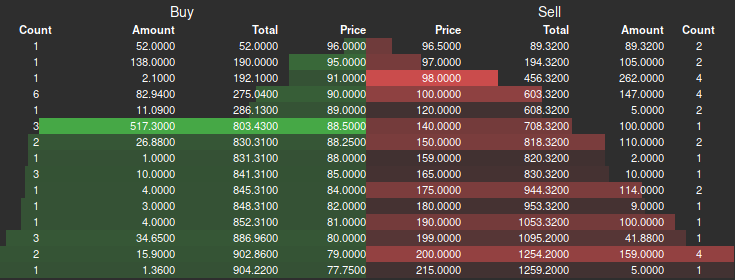
Note: You can click on an order in the table to set the price in the trade form to that of the clicked item.
The Order Book displays orders that are waiting to be filled. The buy orders are shown in green on the left, sorted from the highest (best) to lowest price. The sell orders are shown in red on the right, sorted from the lowest (best) to highest price. The fields of each order are as follows:
- Amount: The volume (amount of currency) still to be filled on the order.
- Total: The cumulative total of the amount, from top to bottom.
- Price: The sell/buy price of the order, per volume.
Trades

Note: You can click on a trade in the table to set the price in the trade form to that of the clicked item.
The Trades table displays recently completed trades (i.e. orders that have been filled).