Enabling Two-Factor Authentication
What is Two-Factor Authentication
Two-Factor Authentication (2FA) is an additional security step taken when you make transactions using CornuEx. 2FA uses a short code that is accessible using any 2FA application, similar to One-Time Pin (OTP) codes used by banking and other services. Once you are prompted for the 2FA token, you simply enter the token given by the 2FA application and enter it into the provided field.
Enable Two-Factor Authentication
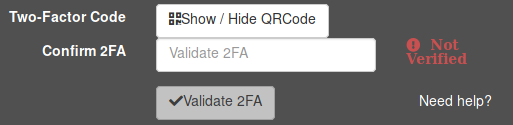
Follow these steps to enable 2FA:
- First you will need a 2FA app installed on your mobile device, such as Google Authenticator, Authy, Duo, etc.
- Open the 2FA app of your choice.
- Click on Show/Hide QRCode to display your QR code.
- Using the app and your mobile device's camera, scan the QR code provided above the Confirm 2FA field.
- The app will provide you with a 6-digit code. Enter this code into the Confirm 2FA field.
- Click on the Validate 2FA button to verify the code.